How MemClick works
Short daily practice. Long-term purpose.
MemClick gives learners in Grades 5 to 12 about 10 minutes of focused recall practice built around their school courses.
The goal is simple: keep important knowledge available as school keeps building on it.
One question at a time.
Recall
Your learner answers one focused question from memory: a fact, definition, formula, relationship, vocabulary term, date, or diagram label.
Reveal
They see the answer and, when useful, a short explanation or visual.
Rate
They say how the recall felt: Not yet, Almost there, Got it, or Easy.
Return
MemClick uses that recall experience to decide when the idea should come back.
Ideas that are harder to recall return sooner. More reliable recall allows more time before the next practice.
Coming back to it
Returns again later in this same session
Close, but not quite
Returns soon
Knew it with a little effort
Returns after a normal gap
Knew it quickly
Returns after a longer gap
Seeing it, not just reading it
When a concept is visual, so is the explanation.
The answer comes from memory first. Afterward, a MemClip may use a diagram to explain the idea more clearly. The picture supports understanding, and later recall practice strengthens the memory.
Why recall matters
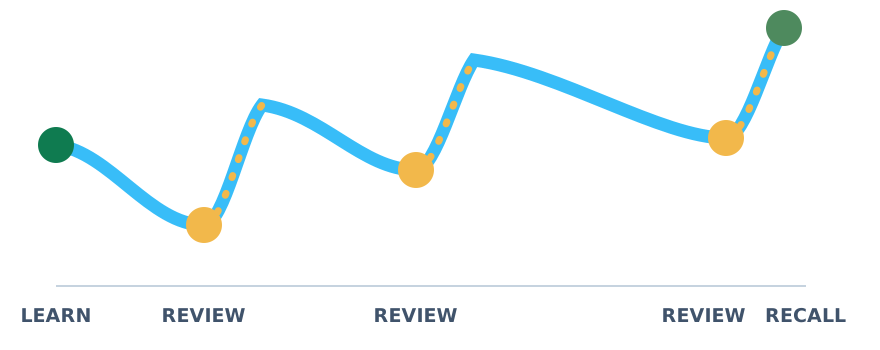
Reading something again can make it feel familiar. Retrieving it from memory asks the brain to do the work of finding it again.
MemClick combines that retrieval practice with spacing, bringing important ideas back across separate sessions rather than concentrating everything into one review.
Built for what comes next
School knowledge is cumulative. Earlier ideas become the foundations for later ones.
That makes regular recall particularly valuable across the move into middle school, the middle-school years, the transition into high school, and later high-school courses.
Getting set up
Start your parent account
Begin on the web or in the MemClick app.
Add your learner
Choose their grade and courses.
Start together
Practice together on this device, or link their device for independent study. Follow their progress from your parent account.
Practice
Their first session is ready.
Using their own device?
Link it to their learner profile with a code from your parent account. They can study there while you follow their progress here.
About 10 minutes a day, with each session already prepared.
Free trial · no credit card needed